Holder Log frames your lenses on a live viewfinder, works out bellows, filter and reciprocity corrections, and keeps track of every sheet until it is developed. You end up with a development sheet sorted N−1, N, N+1.
 Scan with
01 · Frame
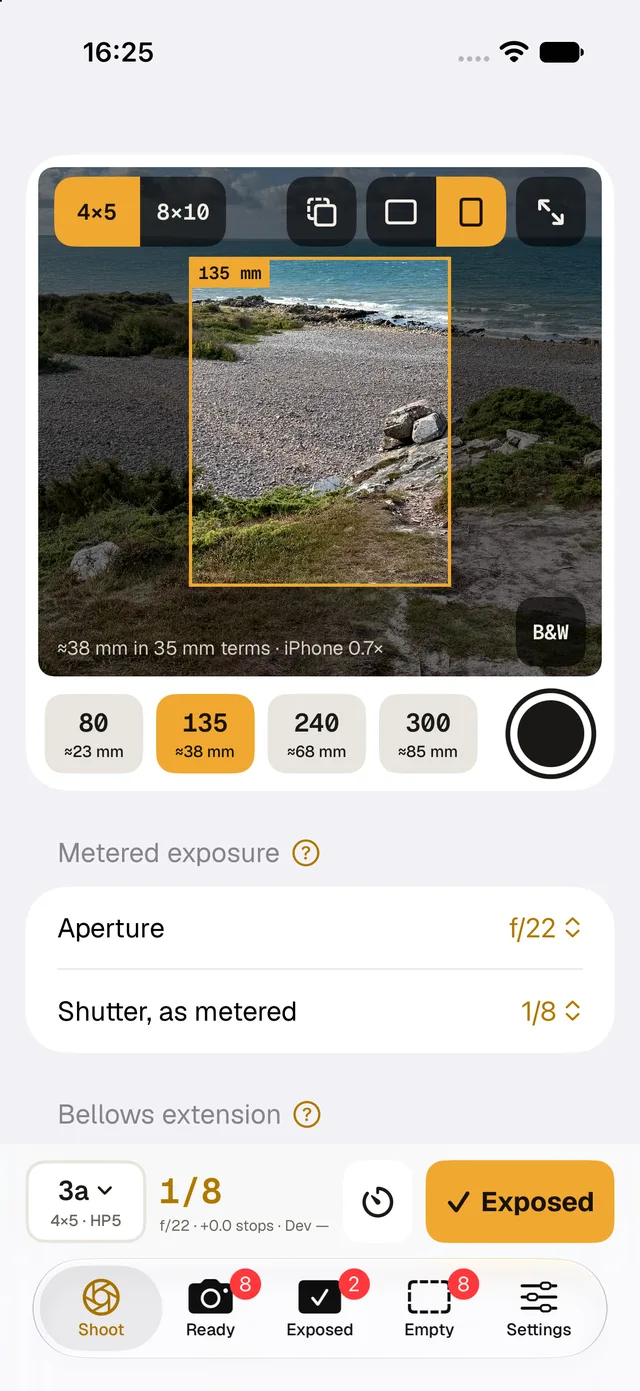
Frames for 4×5, 8×10 or any format you add, landscape or portrait, with 35 mm equivalents.
Walk around and compare the 135 with the 240 without carrying the camera. Two lenses of the same focal length are told apart by name.
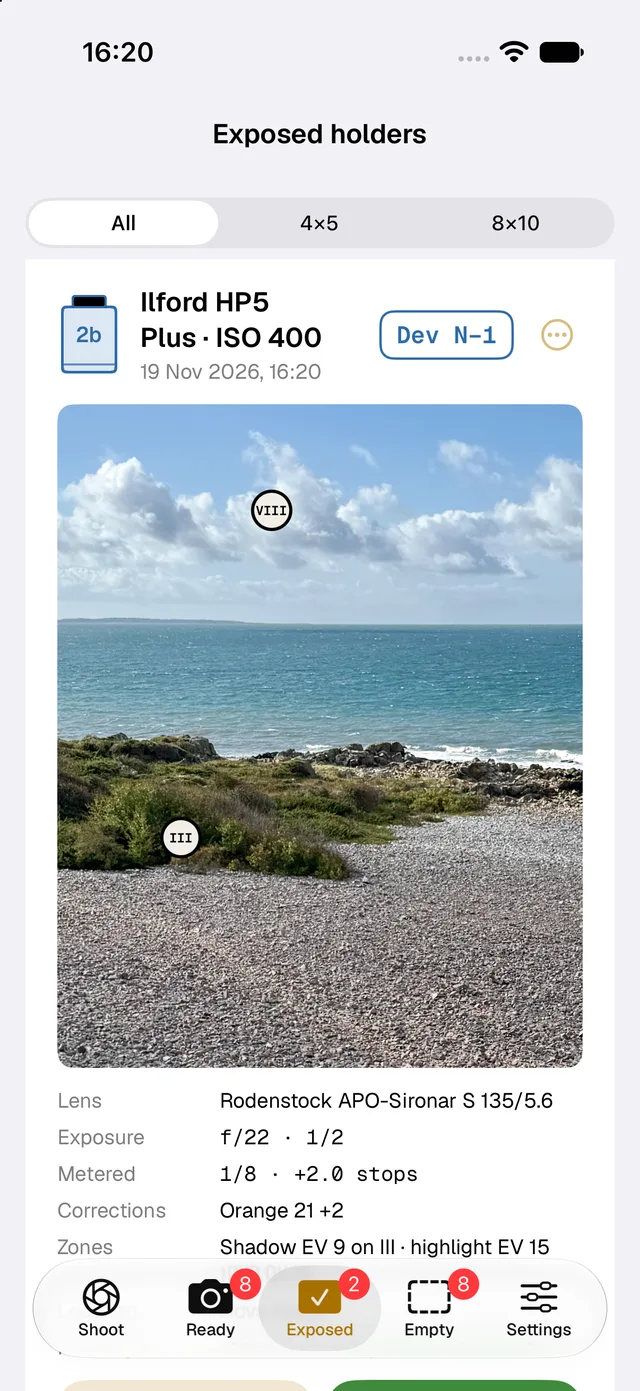
Group your lenses by camera, say a big and a small 4×5 kit, and pick one to see only the lenses you brought. Or start from the app icon.
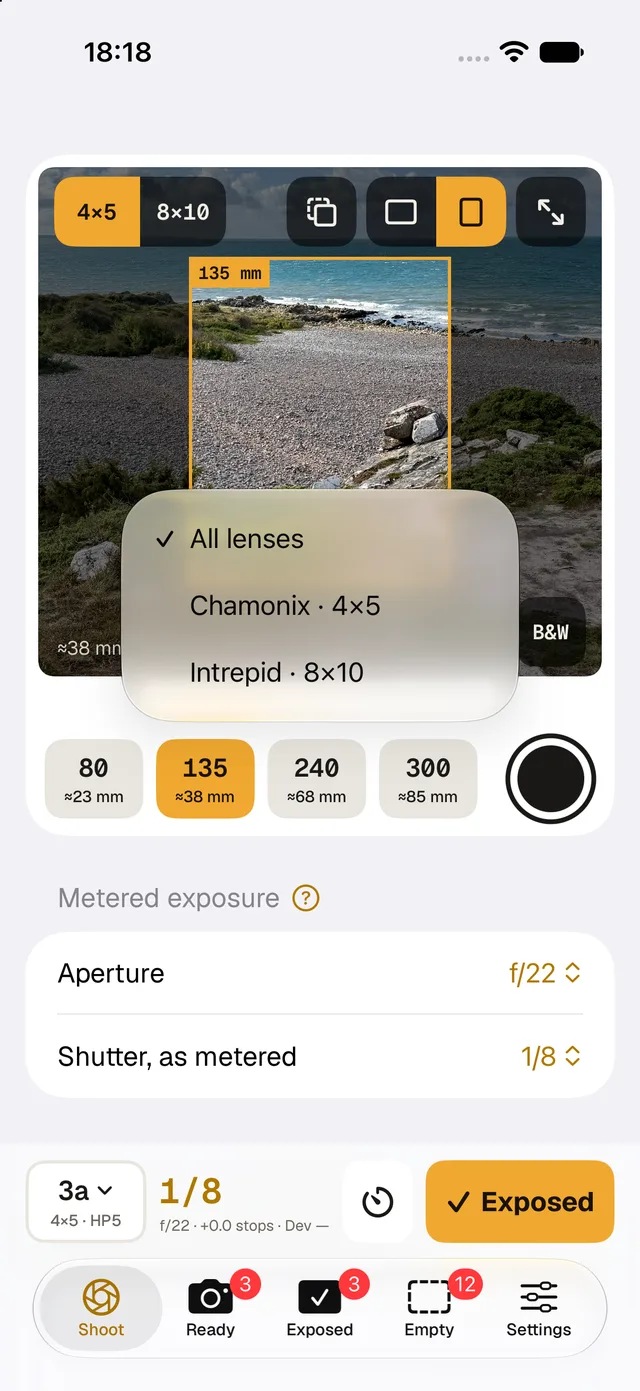
Preview yellow, orange, red, green or blue before you choose the filter.
Save the framed view with the shutter or a volume button, pin the zones on it, and it follows the sheet to the darkroom. A copy can go to your photo library too, with lens, film and place in its details.
02 · Expose
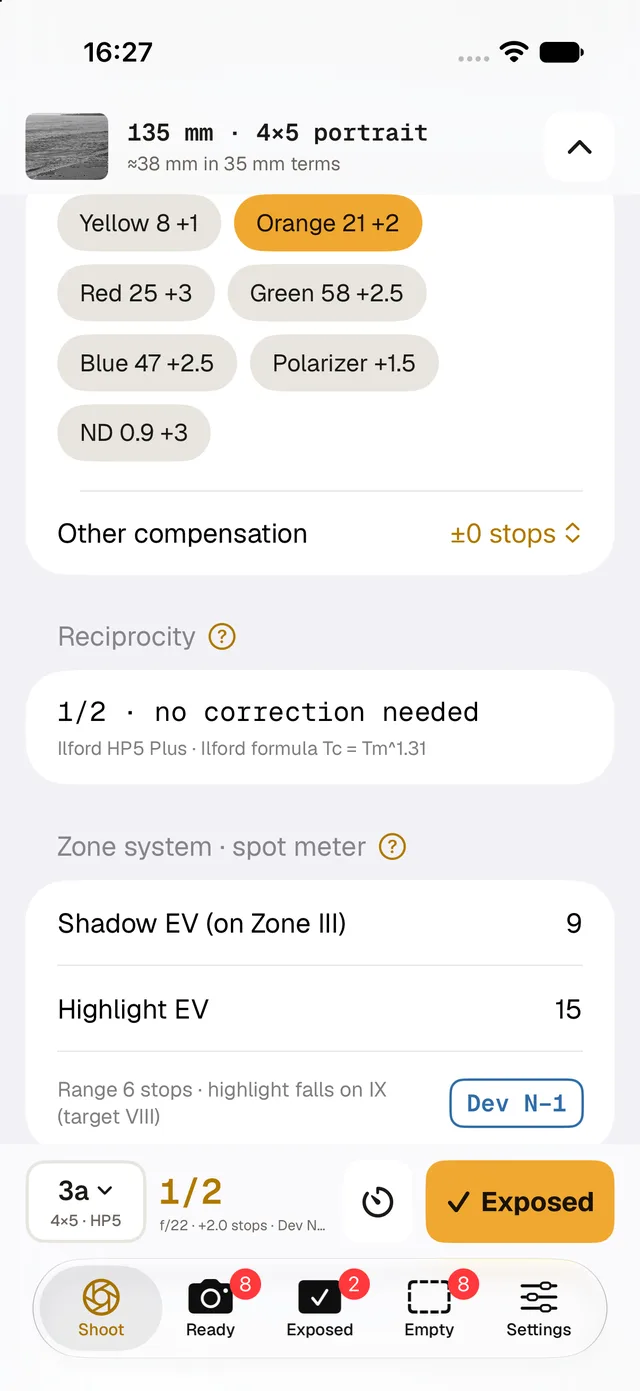
Including telephoto lenses, based on draw at infinity.
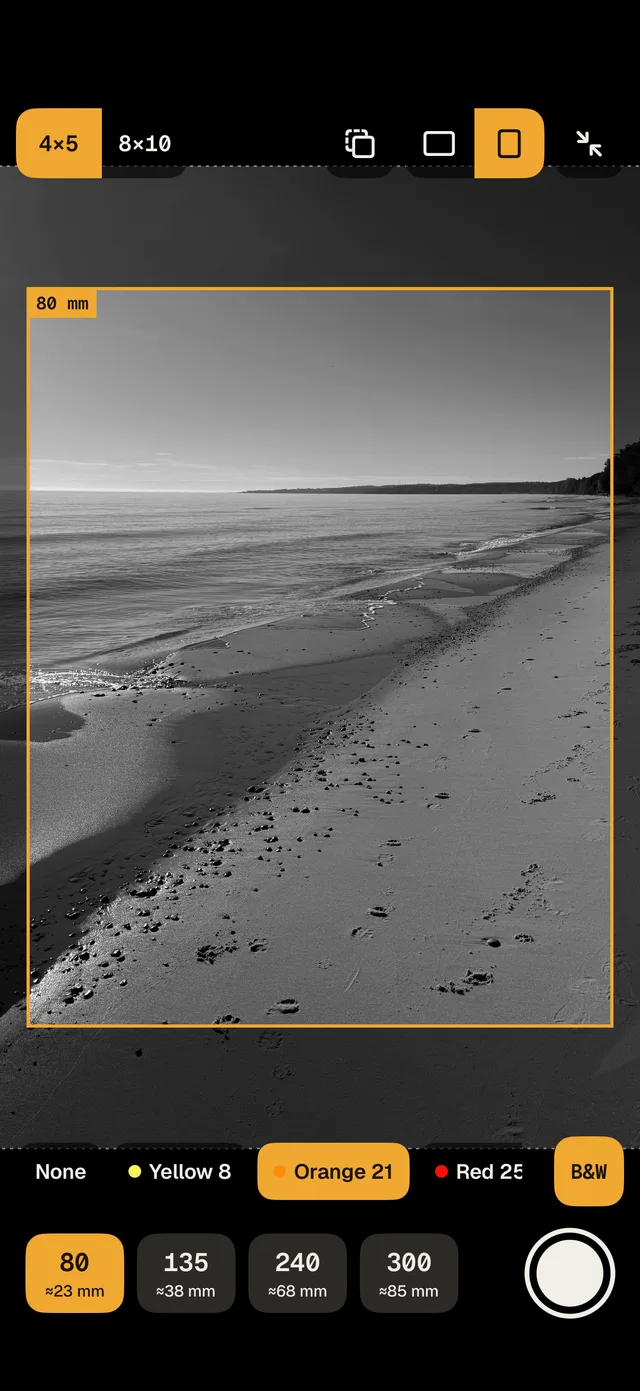
Filter factors plus reciprocity from the datasheets of 21 Ilford, Kodak, Fujifilm and Foma films, or your own values.
Enter shadow and highlight readings and the sheet is tagged N−1, N or N+1.
The countdown alerts you even when the phone is locked.
03 · Develop
Empty, loaded or exposed, for 4×5 and 8×10.
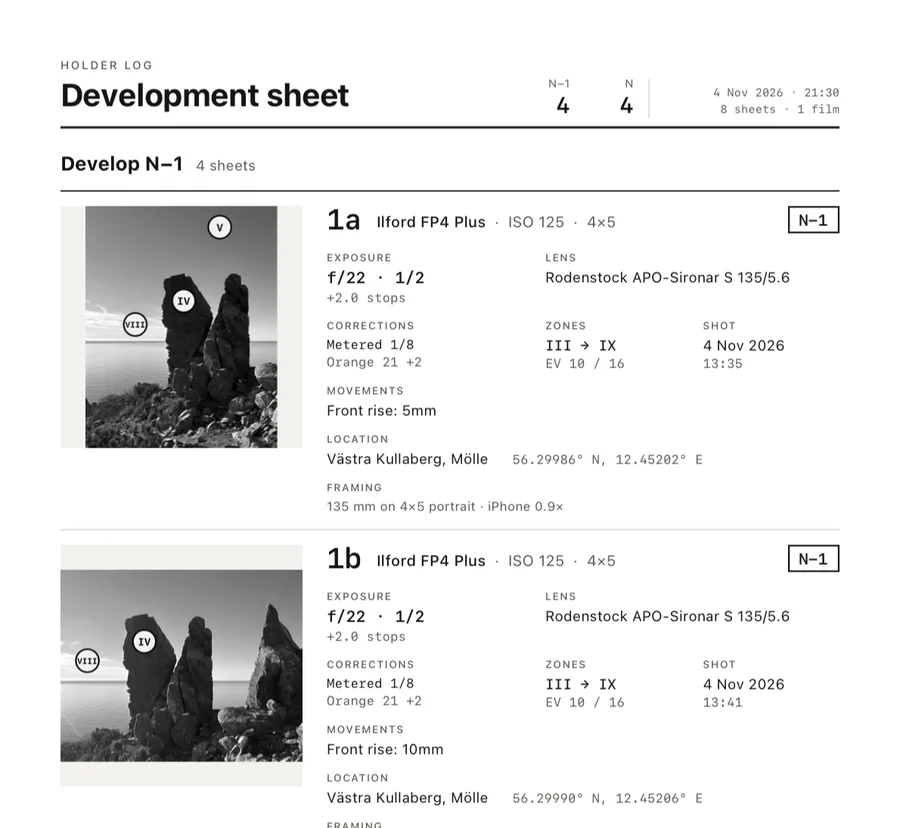
Sheets grouped by development, each with reference photo, exposure, zones, movements and location. Print it or keep it on a tablet.
Developed sheets move to the archive, where the development sheet is still at hand for a day or for the sheets you pick. Export everything to CSV whenever you like.
Private
Open the app and start loading holders. Nothing to sign up for.
No analytics. Nothing is sent to the developer or anyone else.
CSV and PDF are yours, and you choose whether exports include GPS positions.
Holder Log is a free large format photography app for iPhone. It keeps track of which sides of your 4×5 and 8×10 sheet film holders are empty, loaded or exposed, shows what each of your lenses covers on a live viewfinder, works out bellows extension, filter factors and reciprocity, suggests N−1, N or N+1 development from zone readings, and creates a PDF development sheet for the darkroom.
Yes. In Holder Log every holder side is tracked separately: load a few sides with a film, and each one moves from loaded to exposed to developed. You always see which holders are ready to shoot and which need developing, and the exposure data stays with each sheet.
Close, and you can make it exact: compare the two from the camera position and adjust Settings → Viewfinder calibration.
Enter the draw at infinity for that lens (lens board to ground glass, focused far away) under Settings → Lenses. The bellows factor is then based on how far you extend past that point.
Add it under Settings → Your films, or with "Film not in the list?" when loading. Reciprocity uses Ilford's exponent formula, or no correction if you leave it empty. Values come from manufacturers' datasheets, so check them against your own tests.
Yes. Everything runs and is stored on the phone, with nothing to sync.
4×5 and 8×10 out of the box, and you can add other formats. Each holder has two sides, tracked separately. Name them 1a, 1b, 2a, 2b or 1, 2, 3, 4 to match the labels on your holders, or rename any holder.
Yes. Add your cameras under Settings → Cameras and tick the lenses that belong to each, for example a big and a small 4×5 kit. Pick the camera above the lenses on Shoot to see only its lenses, or touch and hold the app icon to start shooting with it. The camera is saved with each sheet and shows in the PDF.
Both. Choose Light, Dark or the iPhone's setting under Settings → Appearance. Dark is easier on the eyes at night and in the darkroom; the viewfinder is always dark.
Yes. Developed sheets go to the archive (Settings → Data), where you can make the PDF for one day's sheets or for any sheets you select.
Yes. If a lens is wider than the phone's camera can see, the viewfinder still shows the whole lens frame and marks the part the camera can't see. iPhones with an ultra-wide camera cover even very wide lenses.
Made for iPhone; it also runs on iPad as an iPhone app. Holder Log is built for sheet film; for roll film there are better apps.
Holder Log is free. It is made by one large-format photographer in Malmö, Sweden. Questions and ideas are welcome on the support page.
Free for iPhone. Built by a photographer who shoots 4×5 and 8×10.
Scan with